 NA-MIC Project Weeks
Back to Projects List
Improvements and Bug Fixes for SlicerVirtualReality
Key Investigators
- Kyle Sunderland (Queen's University, Canada)
- Simon Drouin (École de Technologie Supérieure, Canada)
- Andras Lasso (Queen's University, Canada)
- Csaba Pinter (Ebatinca SL, Spain)
Project Description

Currently SlicerVR is usable with OpenVR/OpenXR, however there are some pending issues:
- Nightly dashboard
- Errors in the nighlty dashboard (SlicerPreview Dashboard)
- Performance
- Adding markups to the scene causes an immediate drop in framerate and rendering artifacts
- Visualization of interaction handles results in performance issues
- Volume rendering with multi-component images/sequences causes a drop in framerate when the camera is close to the volume
- Visualization
- Investigate “washed-out” appearance in VR view
- Interaction
- Not all controller interactions are recognized
- Investigate remappable controller bindings from python
- Etc.
Objective
Bring SlicerVR to stable, usable performance and complete basic interaction support.
Approach and Plan
- Make SlicerVirtualReality available from the extension manager again
- Profile and baseline performance (CPU, GPU, FPS in representative scenes)
- Fix highest-impact performance issues (markups, widgets, volume rendering)
- Add missing OpenXR controller input mapping
- Iterate with testing in real scenes
Progress and Next Steps
- SlicerVirtualReality is again available on the extension index (SlicerPreview Dashboard)
- Greatly improved performance for rendering Markups in VR by bypassing depth check for visible points (Slicer#8979) (SlicerVirtualReality#185)
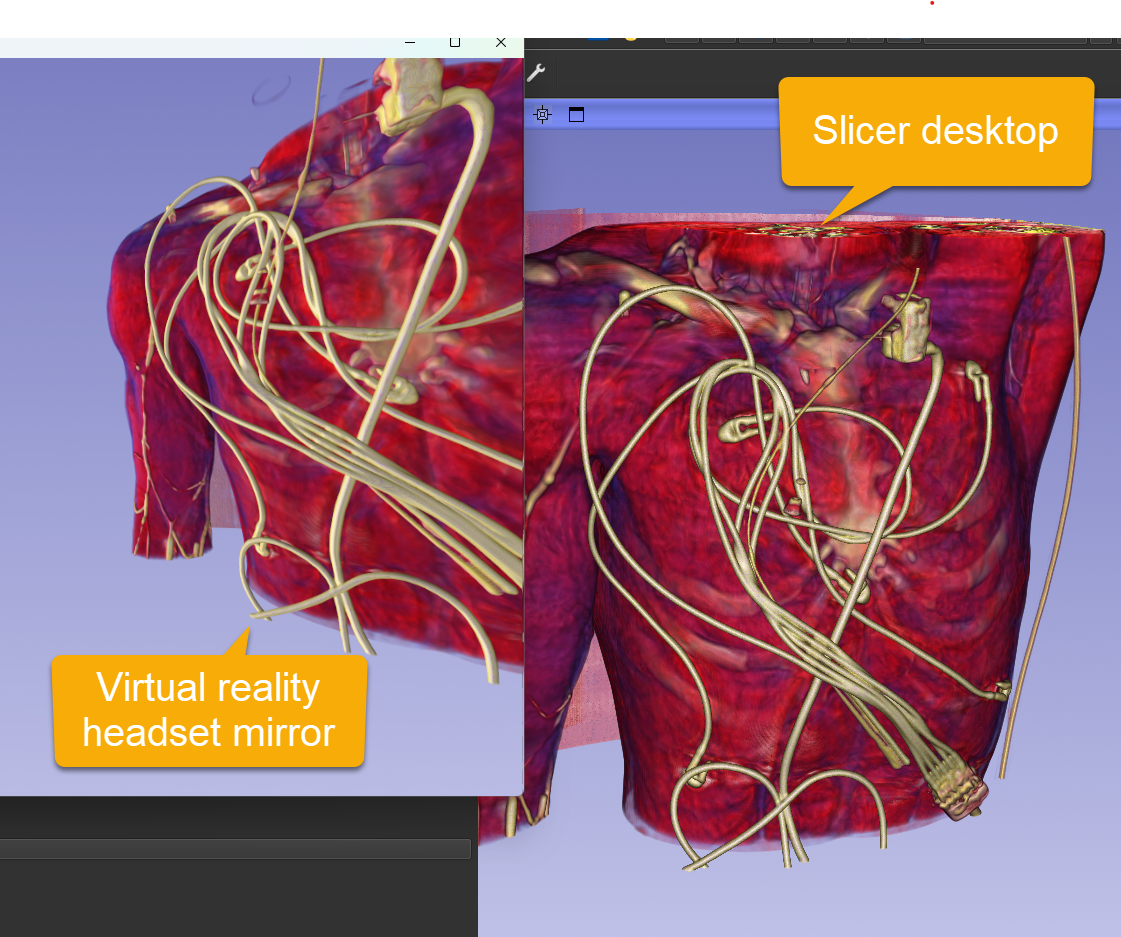
- Washed-out colors in virtual reality appear to be resolved.
Illustrations
Color issue
Before
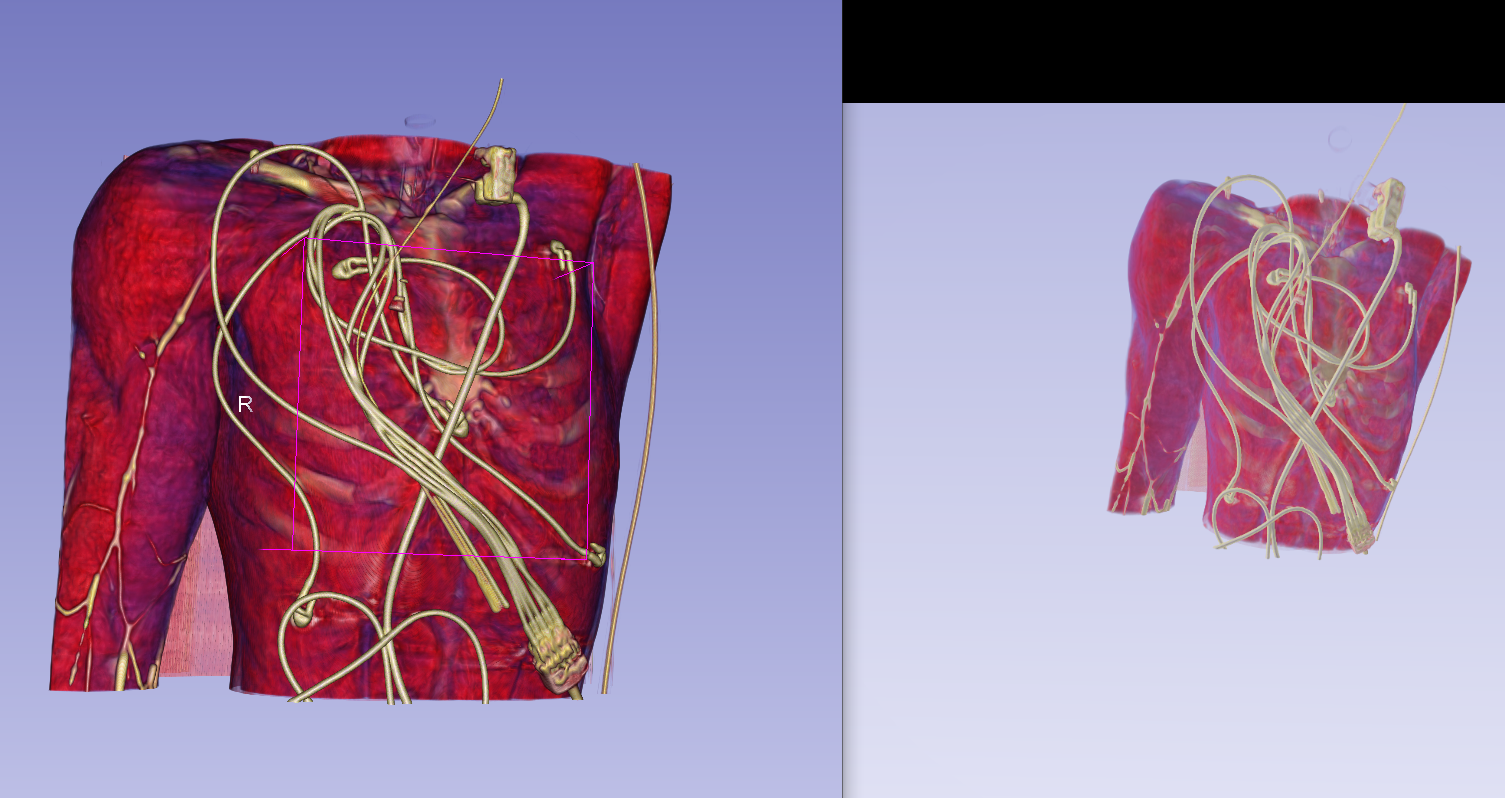 Left: Slicer view using OpenXR without shadows Right: VR view (with back lights / without two sided lighting)
Now
In latest Slicer Preview Release: colors are the same in desktop rendering and VR headset.
Background and References
Previous project week page on color isues in virtual reality: Previous Project Week Extension repository: SlicerVirtualReality